
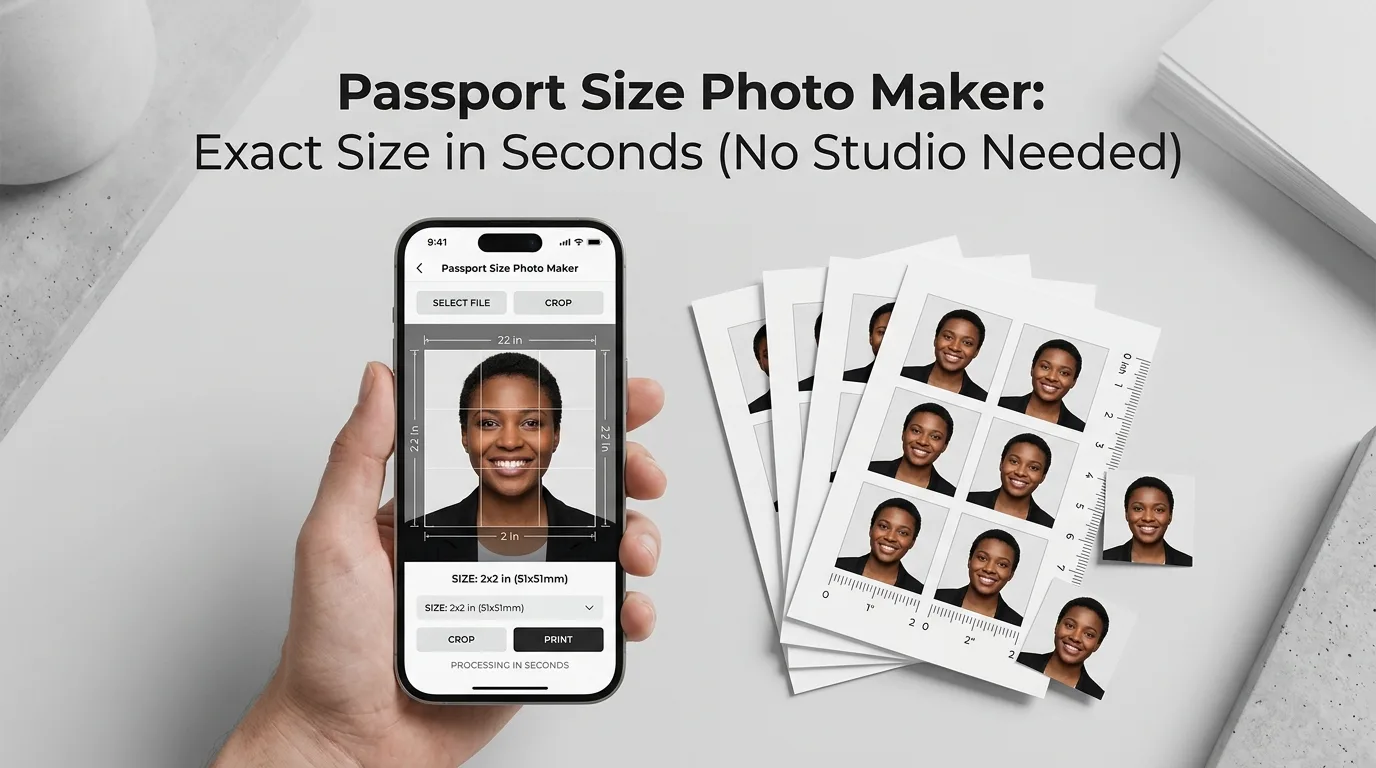
Getting a passport or ID photo used to mean visiting a studio, waiting for the photographer, and paying for prints you may not even need if you’re applying online. Most passport, visa, CNIC, and NICOP applications today accept a digital photo as long as it matches exact size and background requirements. Once you know those requirements, making a compliant passport photo yourself takes a couple of minutes, not a trip across town.
The Exact Size Pakistan Requires
For Pakistani passport, visa, CNIC, and NICOP applications, the standard photo size is 35mm x 45mm (3.5cm x 4.5cm). If you’re applying online through NADRA, the digital photo needs to meet these specifications:
- Minimum dimensions of 350 x 467 pixels, with an aspect ratio of 3:4
- Resolution of 300 to 600 DPI for print-quality clarity
- File size under 350 KB, though some portals accept up to 5 MB before compression is needed
- Head height between 29mm and 34mm in the frame
For babies and CNIC-specific applications, the required head height is slightly different, typically 32mm to 36mm, so it’s worth checking the exact form you’re filling out if the applicant is very young.
Why the Background Has to Be Pure White
Every official Pakistani ID and passport photo requires a plain white background, evenly lit with no shadows or texture behind the subject. This isn’t just a style preference. Verification systems used by NADRA and passport offices rely on a clean, consistent background to isolate the face accurately during automated checks. A light gray, beige, or slightly off-white background can cause a photo to fail verification even if it looks acceptable to the human eye.
If you’re taking the photo yourself against a wall, a plain white or light-colored wall works as a starting point. However, the background usually still needs to be corrected to a true, uniform white afterward, since natural lighting rarely produces a perfectly even white on camera.
Read More: QR Code Generator: Turn Any Link Into a Scannable Code in 10 Seconds
What Makes a Passport Photo Get Rejected
A few recurring issues cause the most rejections:
- Shadows on the face or background, usually from uneven lighting or a light source coming from one side only
- Head tilted or rotated, rather than facing the camera straight on
- Glasses, hats, or hair covering the face, unless the hat is religious headwear worn daily
- Background that isn’t a true, uniform white, including slight color casts from indoor lighting
- Wrong head-to-frame ratio, where the face is too small, too large, or off-center within the required dimensions
- File size or resolution not meeting the portal’s specific requirement, especially for online NADRA submissions with strict KB limits
How to Take a Usable Base Photo Before Editing
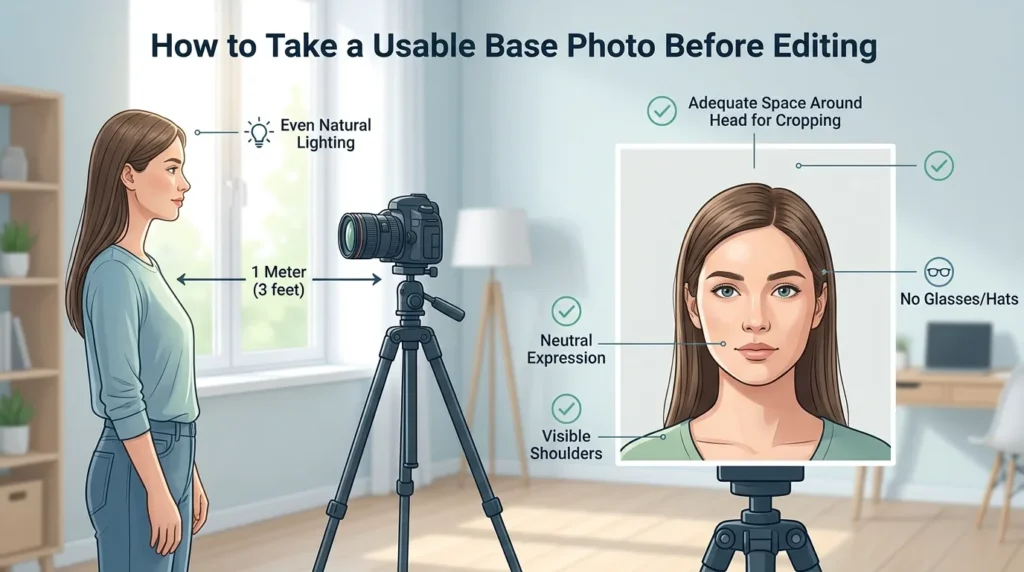
- Stand about 1 meter from the camera, facing a light source like a window, so the light falls evenly across your face without harsh shadows.
- Keep your head straight and level, looking directly at the camera with a neutral expression.
- Remove glasses, hats, and anything covering your face, unless it’s a religious headdress you wear daily, in which case make sure it doesn’t cast a shadow on your face.
- Make sure your shoulders are visible, and there’s enough space around your head, so the photo can be cropped to exact dimensions without cutting anything important off.
- Use natural daylight if possible, since it produces more even, accurate skin tones than most indoor artificial lighting.
Turning That Photo Into a Compliant Passport Photo
Once you have a decent base photo, three things typically need to happen before it’s ready to submit: cropping to the exact 35x45mm proportions, correcting the background to a true white, and getting the file size under the portal’s limit.
AsanTool’s Image Resizer handles the exact dimension requirement directly in your browser, letting you crop to precise proportions instead of guessing. Once resized correctly, run it through the Image Compressor if the file is still above the 350 KB limit many NADRA forms require, all without losing visible photo quality.
- Upload your photo
- Resize to the exact pixel dimensions required
- Compress if needed to meet strict file size limits
- Download instantly, no software or account needed, and your photo is never stored on our servers
Conclusion
A passport-compliant photo isn’t complicated once the actual requirements are clear. Matching the 35x45mm size, keeping the background a true white, and getting the file under the size limit covers almost every rejection reason at once. Skipping the studio doesn’t mean skipping accuracy; it just means doing the same steps yourself, in a fraction of the time.
Need to resize or compress a photo for your NADRA or passport application right now? Try the free Image Resizer and Compressor. No account, no software, and your photo is never kept on our servers.