
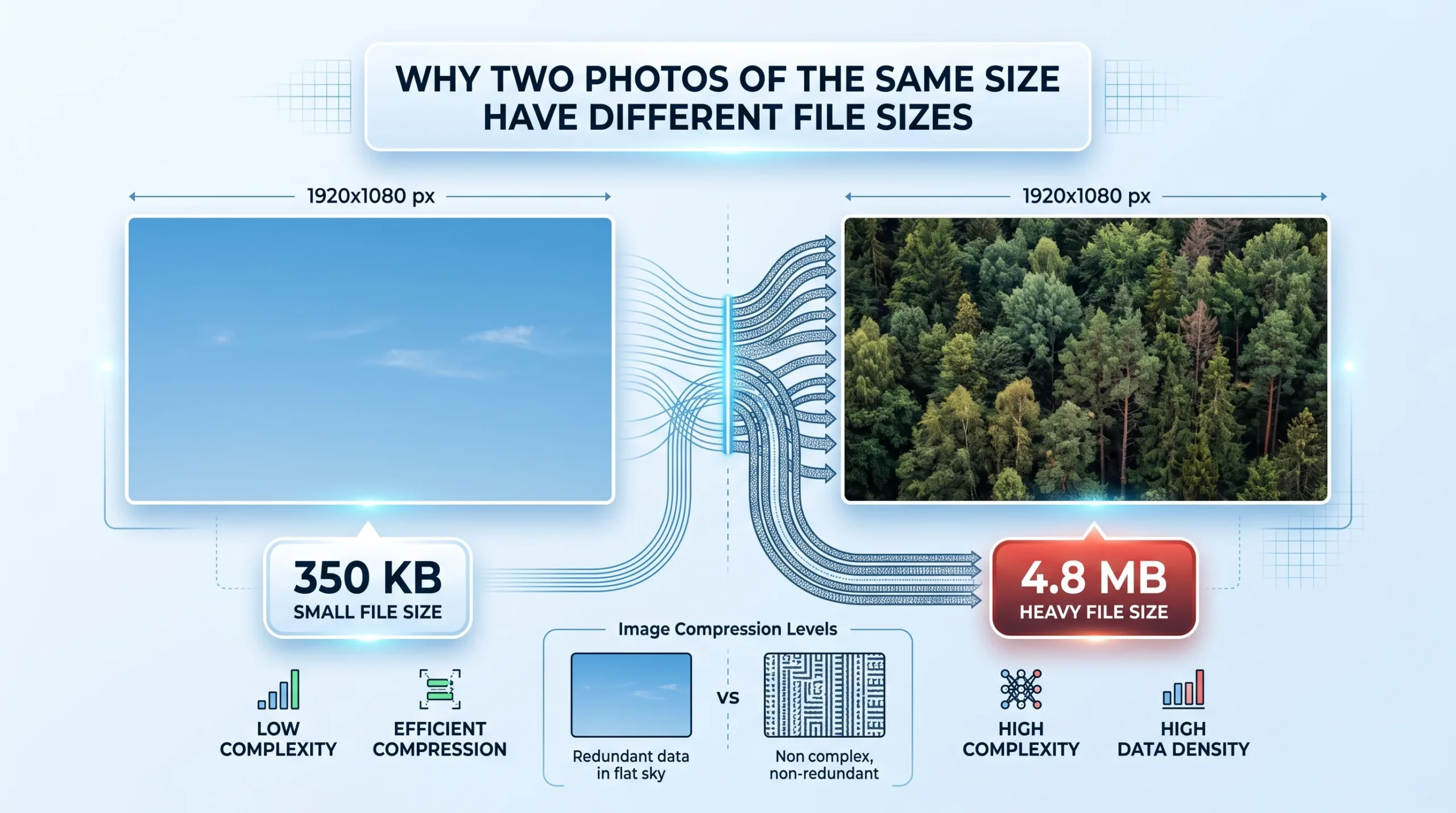
Open the properties on two photos that are both exactly 4000 by 3000 pixels, and it’s entirely normal to find one sitting at 3 MB and the other at 11 MB. Same dimensions, same resolution, wildly different file sizes. This trips people up constantly, because it seems like it shouldn’t be possible: if the pixel grid is identical, shouldn’t the file be roughly the same size too? It’s a reasonable assumption, and it’s also wrong, because pixel dimensions and file size are actually measuring two completely different things.
Pixel Dimensions Describe a Shape, Not a Weight
Width times height tells you how many individual pixels make up the image, essentially its shape and detail capacity. File size tells you how much data was actually needed to store those pixels once compression got applied. Two photos can have the same pixel grid and still need very different amounts of data to describe what’s inside that grid, because what’s inside matters just as much as how big the grid is.
Think of it like two rooms of the same square footage, one empty, one packed with furniture. Same floor space, wildly different amount of stuff to describe if you had to write down everything in each room.
What’s Actually in the Photo Changes Everything
This is the biggest factor, and it’s also the one people notice least. A photo of a clear blue sky compresses extremely well, because huge areas of the image are nearly identical in color, and compression algorithms are specifically built to exploit exactly that kind of repetition. A photo of a dense forest or a field of grass compresses far worse at the same pixel dimensions, because there’s constant, fine-grained variation from pixel to pixel, individual leaves, blades of grass, texture everywhere, and the algorithm has almost nothing repetitive to simplify.
This is why a portrait shot against a plain studio backdrop often ends up smaller than a landscape photo of the same dimensions, even though the portrait might feel like the more “detailed” subject. The backdrop’s uniformity is doing a lot of quiet work reducing file size, while the landscape’s texture is fighting compression at every pixel.
The Compression Setting Itself Is a Variable
Even with identical content, two cameras, or two exports from the same photo, can produce very different file sizes if they used different compression quality settings. A JPEG saved at 60 percent quality and one saved at 95 percent quality can look nearly identical to the eye at normal viewing size while differing by several times in actual file weight, because higher quality settings preserve more of the fine detail that compression would otherwise discard.
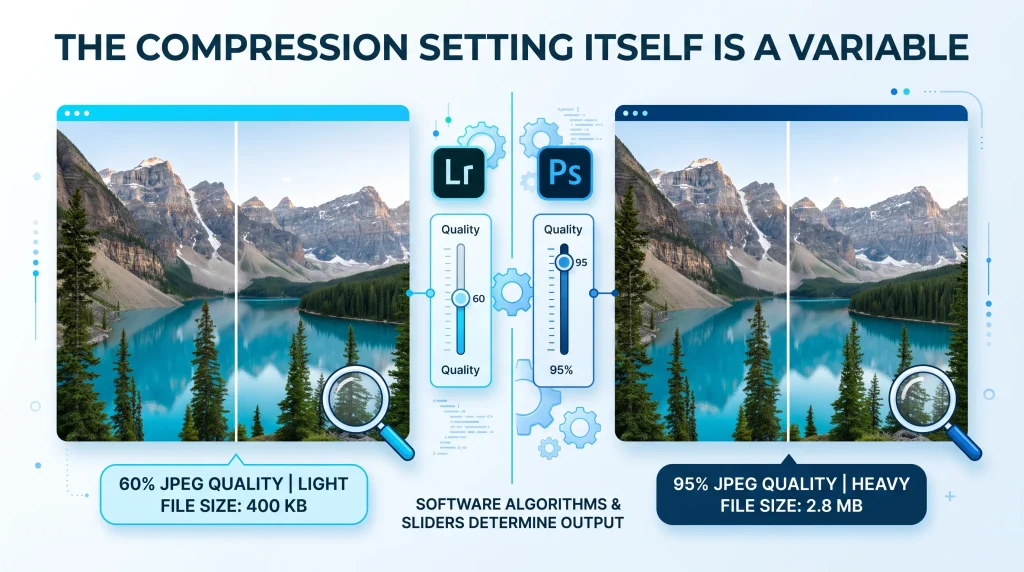
This is also why exporting the same photo twice, once from Lightroom and once from Photoshop, can produce two different file sizes even with matching pixel dimensions. Different software doesn’t necessarily use identical compression settings or algorithms by default, even when both claim to be exporting a standard JPEG.
Metadata Adds Weight That Has Nothing to Do With the Picture
Every photo carries some amount of embedded data that isn’t visual at all: camera settings, timestamps, GPS coordinates if location was on, color profile information, and sometimes editing history from software like Photoshop. This metadata gets bundled into the same file as the image data, and it varies significantly depending on the camera, the editing software, and how many times the file has passed through different programs. A heavily edited file that’s passed through several rounds of software can carry noticeably more metadata weight than a fresh export straight from a camera, even when the visible image content is identical.
The PPI Number Rarely Matters Here
A common point of confusion, worth clearing up directly: the PPI or DPI value attached to an image (72 versus 300, for example) has essentially no effect on file size as long as the pixel dimensions stay the same. That number only matters for print sizing, telling a printer how many of those pixels to squeeze into each inch of paper. A 4000 by 3000 pixel image is the same 4000 by 3000 pixels whether it’s tagged as 72 PPI or 300 PPI, and the file size reflects the pixel data, not that printing metadata.
Conclusion
Two photos matching in width and height are only matching on one axis. File size depends on everything else: how much genuine visual complexity the compression algorithm had to work through, what quality setting was applied during export, and how much non-visual metadata got bundled along for the ride. None of this is a bug or an inconsistency, it’s just file size measuring something different than pixel dimensions ever claimed to measure in the first place.
Frequently Asked Questions
If two photos have the same resolution, shouldn’t they have the same file size? No. Resolution describes pixel dimensions, essentially the image’s shape. File size depends on compression, which is heavily influenced by how visually complex the actual content is, along with the quality setting used and any embedded metadata.
Why does a photo of grass or trees create a larger file than a photo of the sky at the same size? Compression algorithms rely on repetition to shrink files efficiently. A sky with large areas of similar color compresses very well. Grass, leaves, and fine texture change constantly from pixel to pixel, giving the algorithm far less repetition to work with, which results in a larger file.
Does changing the DPI or PPI setting change a photo’s file size? Generally no, as long as the pixel dimensions stay the same. DPI and PPI only affect how an image is sized for printing; they don’t change how much actual pixel data the file contains.
Can I make a large photo smaller without changing its pixel dimensions? Yes. Adjusting the compression quality level reduces file size while keeping the same width and height, though pushing quality too low can introduce visible artifacts, especially in images with a lot of fine detail or color variation.
Need to reduce a photo’s file size without changing its dimensions? Try AsanTool’s free Image Compressor, directly in your browser. No account, no software, and your file is never kept on our servers.